
Charts that keep up
30 studies, a 16-chart grid with per-cell timeframes, 13 intervals, multiple watchlists and saved layouts. Candles, Heikin Ashi, compare, drawings, replay and TradingView-style shortcuts.
Private trading workbench · macOS
Charts, options, flow, screening, backtesting and paper trading in one local workstation. Your data stays on your Mac.
Built on the data you already have — Schwab · Koyfin · Unusual Whales
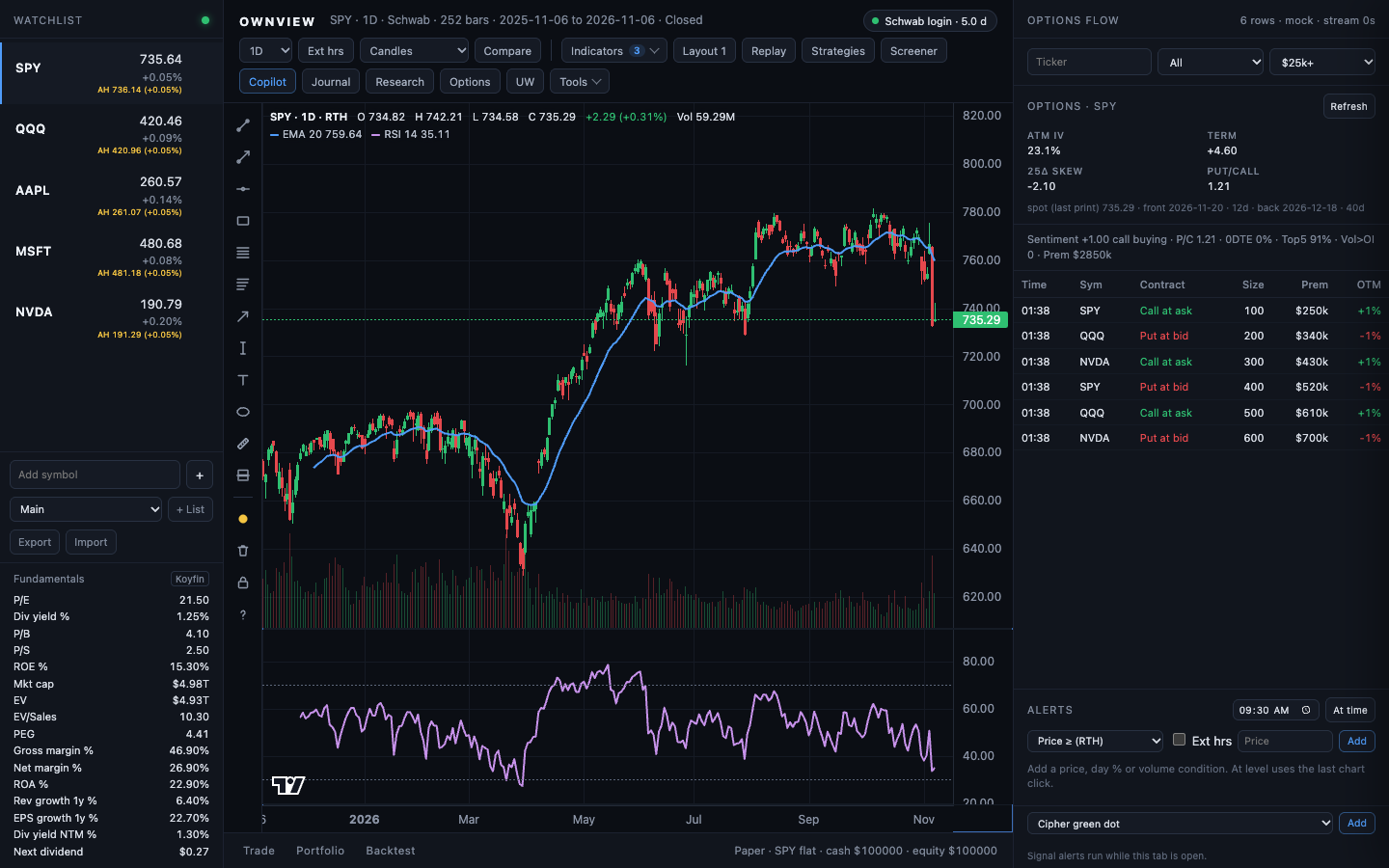
Illustrative workspace. Market data shown for demonstration.
One desk, not five tabs
The chart, the option chain, the flow tape, the screener, the backtest and the journal share one context. No copy-paste between subscriptions.
30 studies, a 16-chart grid with per-cell timeframes, 13 intervals, multiple watchlists and saved layouts. Candles, Heikin Ashi, compare, drawings, replay and TradingView-style shortcuts.
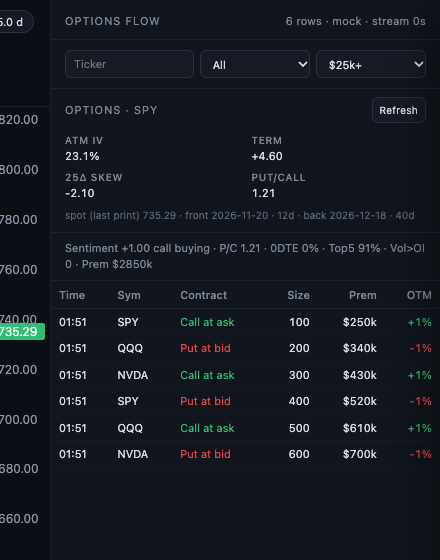
Chain, Greeks, IV rank, term structure, 25Δ skew and the ATM expected move — in the same workspace as the chart.
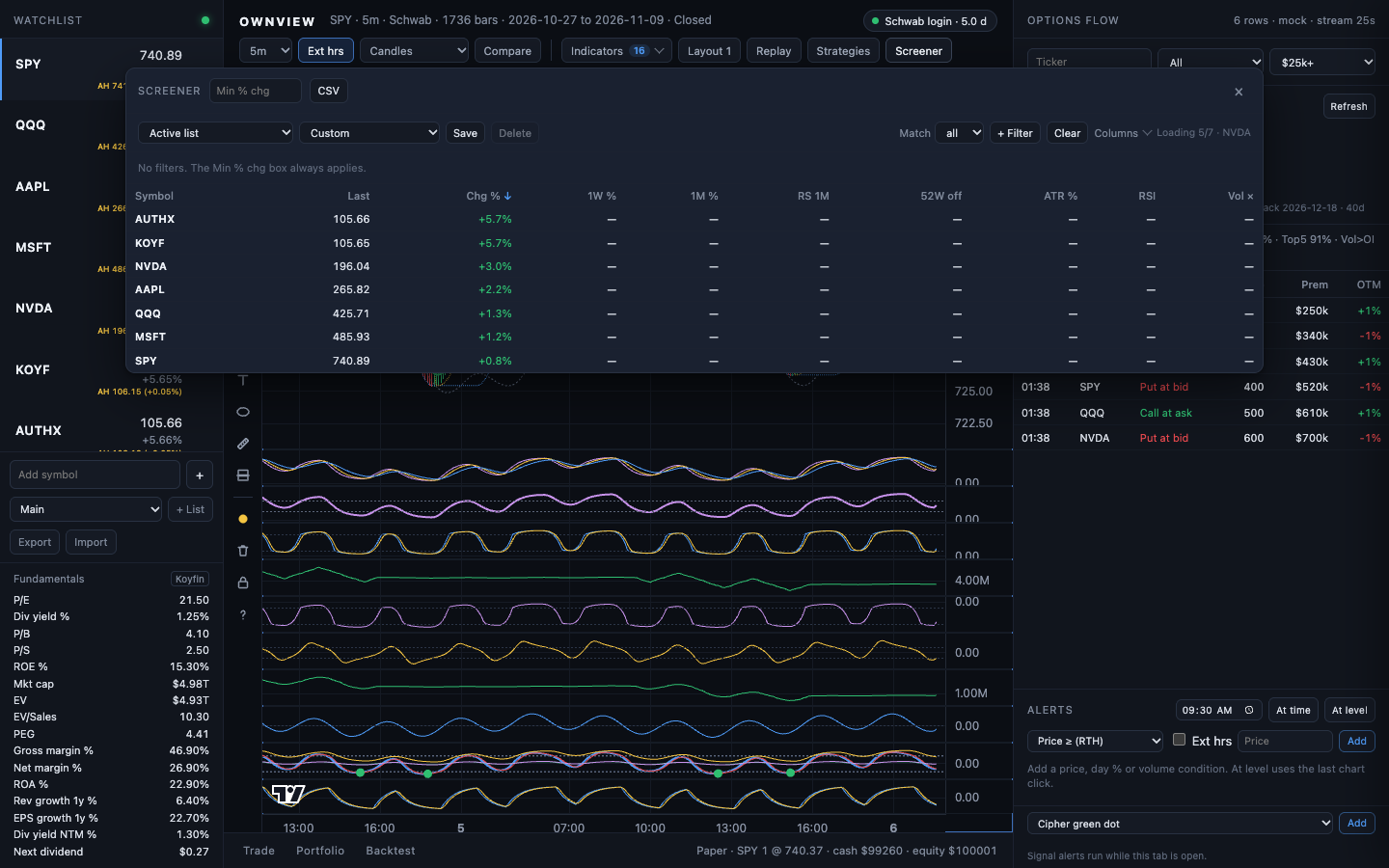
Multi-factor filters with AND/OR logic, six operators, 16 fundamentals and saved screens. Scan your lists or the S&P 500 in one click.
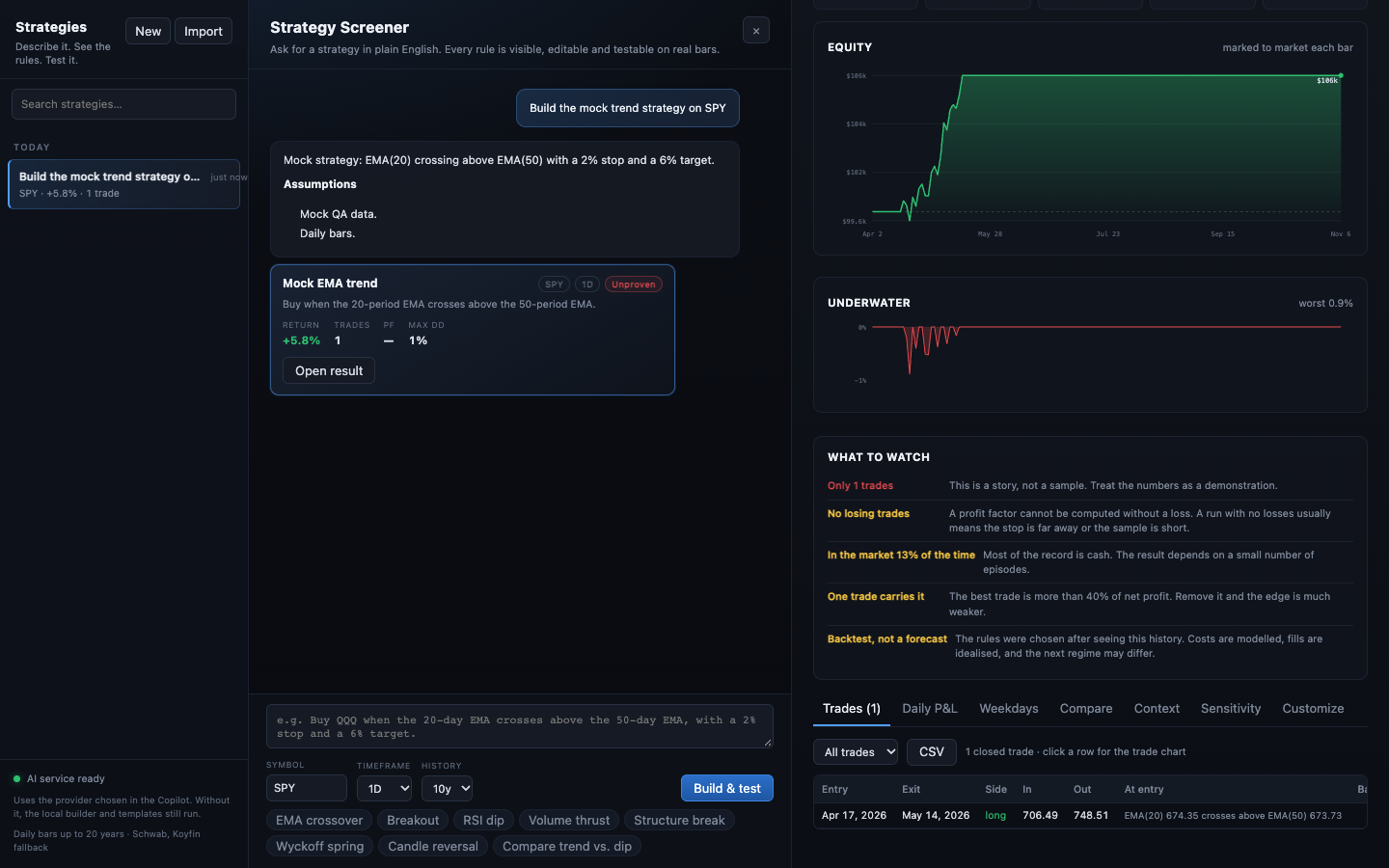
Pine v5 strategies through PineTS, with commissions, slippage, pyramiding, walk-forward folds and a trade-by-trade CSV.
Limit and stop orders, attached take-profit and stop-loss, fills from quotes and 1-minute bars, and a journal that turns results into R-multiples. Import Schwab positions from CSV when you want to mark the real book.
Price, percent, volume, RSI and SMA conditions, plus study-line, trendline and flow-premium signals. The service checks every 20 seconds and sends a Mac notification or webhook.
Dark pool prints, market tide and per-symbol insider trades through your own Unusual Whales session, plus flow-premium alert rules.
Next earnings, analyst consensus, headlines, the economic calendar, seasonality, dividends and the front-expiry expected move for the symbol on screen.
Four agents for the chart, screener, journal and Pine. Context chips show what leaves the Mac; every proposed action waits for Apply.
Keys and history live in ~/.ownview. The app listens on 127.0.0.1. No hosted account, no telemetry.
Options workspace
Read the chain without leaving the setup you are already watching. The summary, the Greeks and the flow tape sit beside the candles, so the trade idea and the risk live in one view.
Schwab chains and Greeks · your Unusual Whales flow
Screener 2.0
Stack day, week and month change, relative strength versus SPY, distance from the 52-week high, ATR%, RSI, volume ratio and gap. Then add the fundamentals.
Quote scan, not a whole-market indicator scan · Schwab + Koyfin
Backtest + paper
Write a Pine v5 strategy, run it over the chart you are looking at, then forward-test the idea with paper orders. Same symbol, same bars, same costs.
PineTS 0.13.1 · paper only · no broker routing
The data service checks open alerts every 20 seconds. Price, percent change, volume, RSI, SMA, a study-line crossing, a trendline touch or a flow premium — then a macOS notification and an optional webhook.
General reads the chart. Screener turns plain English into filters. Journal reviews the paper ledger. Pine drafts a strategy for Backtest. Nothing runs until you approve it.
Screen the S&P for oversold names with rising volume.
12 matches. Draft screen is ready.
Local by design
OwnView is not a hosted dashboard. It runs on your Mac, keeps its cache on disk and talks only to the data services you configure.
~/.ownview holds your Schwab, Unusual Whales and optional AI credentials at mode 600.Data providers' terms apply. OwnView is not affiliated with or endorsed by them.
~/.ownview $ ls
schwab-app.json     mode 600
schwab-token.json   mode 600
uw.json             mode 600
cache/              bars · packets · receipts
logs/               service · launcher

~/.ownview $ lsof -i :8080
node  127.0.0.1:8080  (LISTEN)

~/.ownview $ echo $BROKER
none — paper only
Access
OwnView is a private build. Access is set up personally so the data connections are right from the first session. Pricing is quoted after a short setup call.
The full workstation on your Mac. Bring your own Schwab, Koyfin and Unusual Whales access. Native macOS app and local cache.
We install the services, connect your data accounts, import your watchlists and run the live gates with you. You keep the local build.
OwnView does not place real orders and is not investment advice. Market data is provided by the accounts you connect; their terms apply. OwnView is not affiliated with or endorsed by Schwab, Koyfin or Unusual Whales.